Instagram profile picture ideas: the 32px rule
Profile picture ideas for Instagram that still read at 32 pixels, where most people see it: one subject, most of the circle, plain background. Sorted by trade.
The best profile picture ideas for Instagram all pass one test: they still read at 32 pixels. That is the size at which most people will ever see yours, and it is a threshold, not a preference. Above it, a picture can carry detail. Below it, only a shape and a contrast survive. Every idea below is sorted by which side of that line it lands on.
Where your Instagram profile picture is actually seen
Instagram recommends a square of at least 320 pixels. It shows that square inside a circle, about 110 pixels wide, on your profile page. That is the only place the picture is ever large.
In the feed, the avatar next to your username is roughly 32 pixels wide on Instagram's layout grid, about the size of a fingernail. In a comment thread it is the same or smaller. In the stories row, the inbox and the notifications tab it sits somewhere between 40 and 60. The profile page is the exception. The fingernail is the rule.
Someone opens your profile once, maybe twice, when they decide whether to follow or book. They see your avatar beside a post, a reply or a message dozens of times after that. The picture you chose at 320 pixels lives its whole life at 32.
There is a second cut you never see at upload. A circle drawn inside a square keeps about 79 percent of the area. A little over a fifth of your picture, the four corners, is gone before anyone looks. Anything you placed there, a logo, a second person, a product at the edge of the frame, never existed.
What happens at the 32-pixel line
Detail does not fade gradually. It collapses at a size.
Take a face that fills half the circle, the classic half-body shot with the workshop behind it. At 32 pixels the face is 16 pixels tall. The username next to it is set in type about 13 pixels high. Your face is roughly one line of text. Eyes, expression, the tool in your hand: none of that has room to exist. What remains is a pale oval on a darker blob.
Take a logo with your business name written in full. At 320 pixels the type is crisp. At 32, three words become a grey stripe.
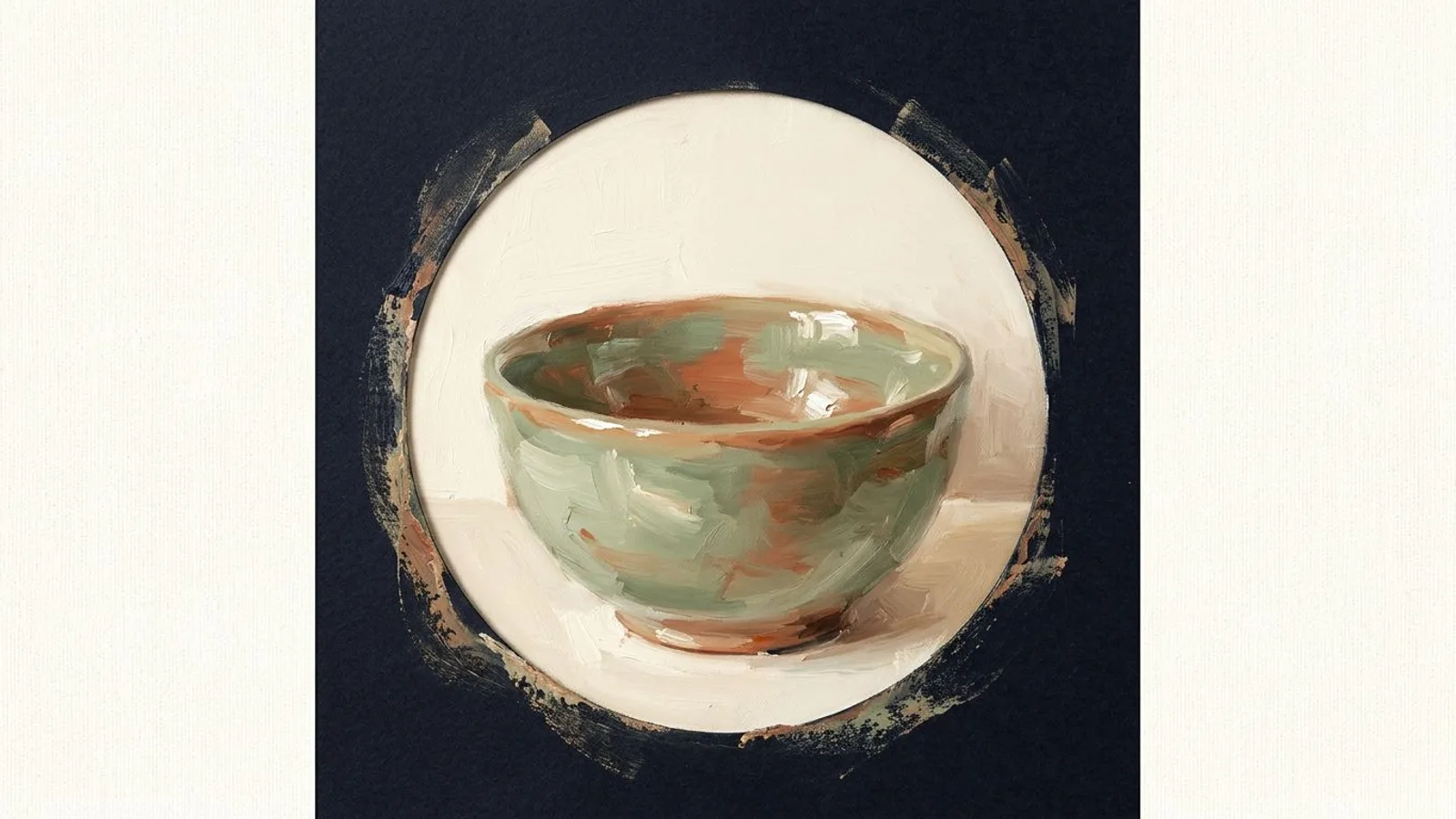
Now take a single subject that fills 70 to 80 percent of the circle, on a plain background that contrasts with it. A face cropped from forehead to chin. One bowl on a cream wall. A two-letter monogram in one color. At 32 pixels each of these keeps its silhouette, its main color and its contrast. That is all recognition needs at that size. The picture crossed the line as a shape, not as a photograph.
One more thing lives on the edge of that circle: the story ring, a yellow-to-purple gradient drawn around your avatar whenever a story is live. A picture with warm orange or pink at its rim merges with it and loses its edge.
Your profile picture is the one image that appears next to every post you will ever publish.
Profile picture ideas for Instagram that pass
Sort ideas by what the client is buying. That decides the subject. The threshold decides the crop.
When the client buys a person. Coaches, therapists, consultants, anyone whose name is the booking. Use your face, cropped tight: top of the head near the top of the circle, chin near the bottom, shoulders cut. A plain wall or open sky behind you. One light source. Look at the lens. This is the picture that still reads as you at 32 pixels, and the same one belongs on your LinkedIn and your X profile, so a person who met you on one network recognizes you on the next.
When the client buys an object. Makers, food producers, a shop with one signature product. Use one product, alone, filling the circle, on a flat background. This is the exact opposite of the rule for your posts. In the feed, a product shot on a plain background gets treated like a catalog page, and context is what earns the save. In the circle, context is the enemy. Nobody sees context at 32 pixels. They see a shape.
When the client buys a place. Restaurants, hotels, a shop with a hundred products and no single hero. A photo of the storefront fails the threshold, always: a building at 32 pixels is a grey rectangle. Use a mark instead. A monogram of one to three letters, one color on one color. If your logo is a wordmark, use its initial or the symbol without the words.
Ideas that fail the threshold
Each of these looks fine at upload and dies in the feed.
- The group shot. Three faces at 32 pixels are three beige dots.
- The full-body photo. Your face is now a tenth of the frame, three pixels tall.
- The wordmark logo. Any text beyond one or two letters becomes a stripe.
- Text on the picture. "Bookings open" is unreadable everywhere except your own profile page.
- The busy background. Shelves, foliage, a street. Subject and background become one mid-tone.
Logo or face for a small business?
The threshold answers most of it. A face passes when it is cropped tight. A logo passes when it is a mark, not a name. So the real choice is between a face and a mark, and it follows what the client buys. A one-person business where the client meets you: face. A place or a catalog: mark. A product that is the brand: the product.
Whichever you pick, use it on all five networks. Your profile picture is the one image that appears next to every post you will ever publish. It is the only fixed element in a feed that changes every day. A client who saw your posts on Facebook and now searches for you on Instagram should land on the same circle.
It also sets a color. When the avatar is a deep green monogram and the post beneath it is generated from your website's own greens and creams, the header and the image read as one brand. That is the one place where a consistent visual signature is decided once, then cashed in every week.
The 30-second test
Do not judge the picture at upload. Judge it where it lives.
Upload the candidate. Leave a comment on any post. Look at the avatar next to your own comment, without zooming. If you can tell the subject from the background at a glance, it passes. If you have to lean in, it fails.
Set the picture once and it does its job beside every post for years. The posts are the part that has to change every week, and that is the part worth handing over: Instagram posts generated in your brand's own palette and voice, so the circle and the image under it keep matching. And when someone finally opens your profile, the picture at 110 pixels sits above the first posts they will actually read there. That is the one moment size stops mattering and the rest of the page takes over.
FAQ
What size should an Instagram profile picture be?
Upload a square of at least 320 by 320 pixels. Instagram crops it to a circle and shows it at about 110 pixels on your profile and around 32 in the feed. Keep the subject inside the middle 80 percent of the square.
Should I use the same profile picture on all social networks?
Yes. One shape, repeated, is what makes a client recognize you from one network to the next. Upload the same square everywhere and let each platform crop it.
How often should I change my Instagram profile picture?
Rarely. Change it when your face or your mark changes, not for seasons or campaigns. Every change resets the recognition you built.
Does the profile picture affect reach?
Not directly. Instagram's published ranking signals do not include the avatar. It affects the tap: whether someone who sees your name beside a comment opens your profile.
Can I use an AI-generated profile picture?
For a mark or a monogram, yes, if it passes the 32-pixel test. For a face, use a real photo of you. The client who books you will meet you.