How to Promote Your Etsy Shop on Pinterest
Learn how to promote your Etsy shop on Pinterest by turning each listing into useful Pins that answer buying questions and link to the exact product.
To promote your Etsy shop on Pinterest, turn each listing into several distinct Pins. Give every Pin one buying question to answer, write a clear title and description, then link it to the exact Etsy listing it explains.
Here, “promotion” means creating several useful discovery paths around the same product. Reposting the Etsy cover image repeats a single path.
What does Etsy promotion on Pinterest actually mean?
The common definition is simple: upload a product image, paste the Etsy link, and publish. That creates a Pin. It does not yet create a useful promotion system.
A better definition is this: Pinterest promotion is a set of visual entry points into your shop. Each entry point starts with a specific interest or buying question. It then leads to the listing that resolves it.
This distinction matters because Pinterest behaves more like a search engine than a fast feed. Someone may arrive through a query about a material, a room, a gift recipient, a style, or a practical use. They do not have to know your shop name first.
Pinterest’s own Pin-creation instructions reflect that structure. An image Pin has separate fields for a title, description, destination link, board, and related topics. Those fields let you explain what the object is, who it helps, and where the reader should go next. They do not guarantee visibility or sales. They make the Pin understandable.
Treat each buying question attached to a product as the unit of Pinterest promotion.
The useful unit of Pinterest promotion is the buying question, not the listing cover.
Why is one Pin per Etsy listing too narrow?
An Etsy listing contains more material than its cover image can carry. It may include dimensions, material, color choices, care instructions, process details, intended uses, and the reason one variation costs more than another.
A single Pin usually compresses all of that into one job: show the finished object. That is necessary, but it leaves several useful routes unused.
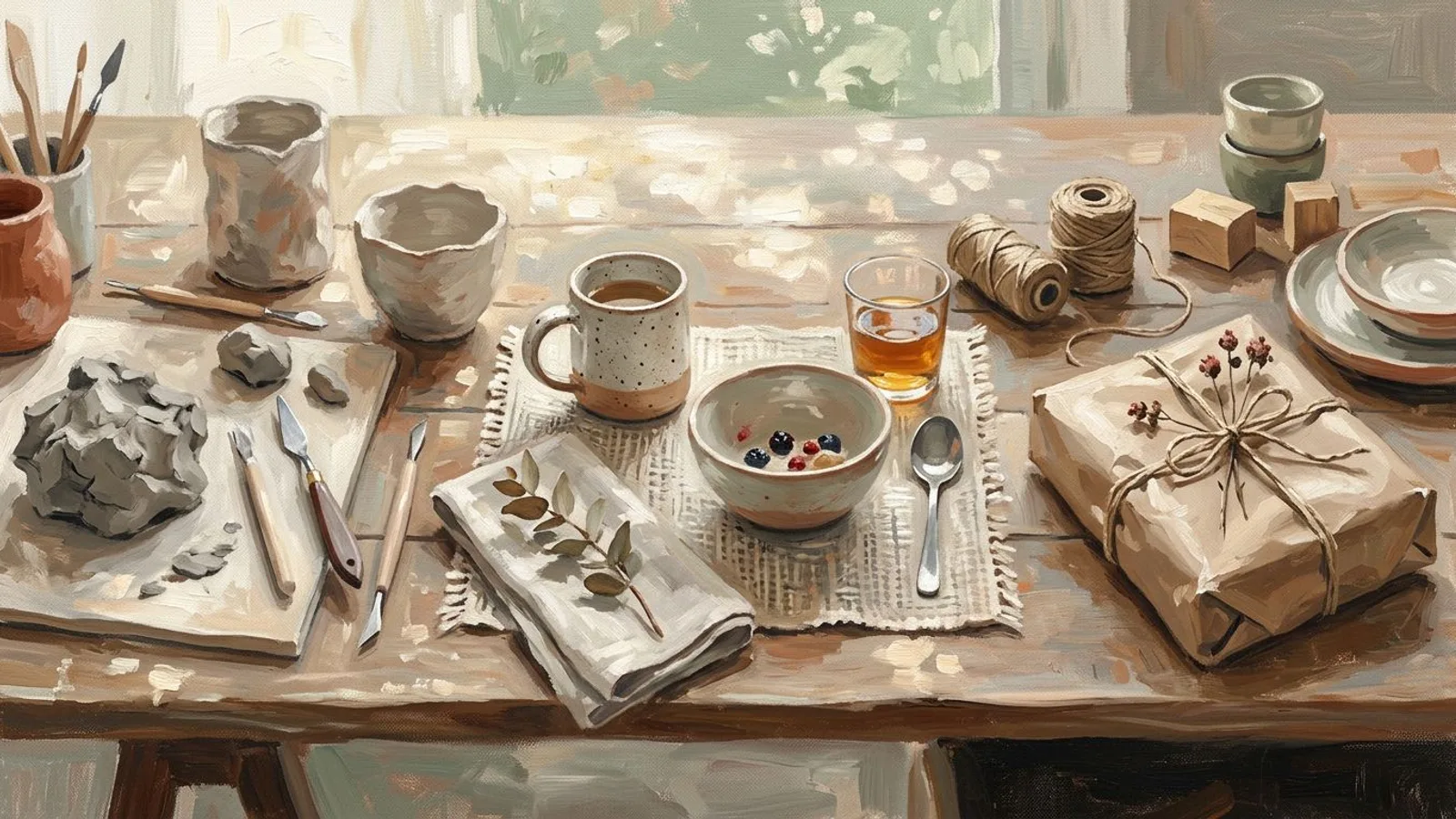
Take a handmade speckled mug. One shopper wants to judge its size in a hand. Another wants a ceramic housewarming gift. A third cares about the glaze and firing process. A fourth wants to see the mug beside a breakfast setting before deciding whether it suits their home.
Each shopper needs a separate entry point, with a visual choice, title, and description built around that question.
A pattern recurs in generated content batches. Ask for “four different Pins,” and the wording often changes while the job stays identical. The adjectives move around, but every Pin still says that the mug is handmade and beautiful. Assign four buying questions instead, and the outputs become meaningfully different because each Pin has a separate task.
The useful unit of Pinterest promotion is the buying question, not the listing cover.
This is also why copying an Etsy listing description into every Pin is weak practice. The Etsy listing page must answer the remaining product and purchase questions. The Pin only needs to establish relevance, give one useful piece of evidence, and make the next click logical.
How do you build a Pin cluster around one product?
Start with the listing, not a blank content calendar. Extract the facts a buyer can verify: material, dimensions, available variations, use, care, making method, and what is included. Then group those facts by the questions they answer.
For the mug, a useful cluster could include:
- Scale and use: show the mug held naturally or beside familiar breakfast objects. The title names the capacity or intended drink if the listing confirms it.
- Material and process: show the clay, glaze, or workshop stage. Explain one making decision rather than saying only “handmade.”
- Recipient and occasion: place the mug in a housewarming or birthday context without turning the image into a generic gift advert.
- Choice and variation: compare the real colors, handles, or sets available in that listing. Do not generate a variation the buyer cannot order.
The process Pin can also lead naturally into telling the story behind the craft. The strongest process content explains a decision: why this clay, why this seam, why this finish. A photo of tools without that decision is decoration.
Write the Pin title in plain language a buyer can recognize. Use the description to add one or two product facts and clarify the intended use. Add the exact listing URL as the destination when the Pin is about that item. A shop homepage makes sense only when the Pin genuinely covers a collection.
Choose a board that describes the buyer’s interest, not your filing system. “Small kitchen gift ideas” helps a person understand the context. “My products” only describes ownership. Related topics can add context when they are accurate, but they cannot repair a vague Pin.
Most importantly, preserve product truth. Use a real product photo when exact color, texture, scale, or construction matters. A generated supporting image can suggest context, but it must be reviewed against the item the customer will receive. Promotion stops being useful when the image promises a different object.

How do you make Pinterest promotion repeatable?
Build the weekly batch from product facts you already maintain. A short source card for each item is enough: product name, material, dimensions, variations, primary use, one making decision, and the exact destination URL. Update the card whenever the Etsy listing changes.
Then assign Pin jobs before writing. A batch might cover scale, process, use, and choice. The order can change by product. A commissioned ring needs proof about materials and sizing. A printable planner needs clarity about format and use. The method stays stable because the questions, not a fashionable template, drive the content.
This is where Pinterest-ready images and captions grounded in your brand reduce the repetitive production work. You still add and maintain each Etsy destination URL yourself; the image-and-caption workflow does not synchronize the Etsy catalogue. Review generated images and captions for invented colors or the wrong variation before scheduling.
Review every Pin with four checks:
- Does the image represent something the listing actually sells?
- Does the title name the specific object or use?
- Does the description answer one buying question?
- Does the destination open the exact relevant listing?
Do not attach an Etsy-ranking promise to this work. Pinterest visits do not automatically improve Etsy search position. The immediate goal is narrower and defensible: create more relevant paths from a visual search to a product page that can answer the rest of the buyer’s questions.
FAQ
Can I promote my Etsy shop on Pinterest?
Yes. You can create image Pins from your product material and add a destination link to an Etsy listing. Keep every image and claim consistent with the product the buyer will receive.
Should every Pin link to my Etsy shop homepage?
No. Link to the exact listing when the Pin explains one product. Use a shop or collection page only when the Pin genuinely covers several related items.
Do I need a Pinterest business account?
You can create basic Pins without connecting an ecommerce catalogue. A business account adds business features and analytics, but this method still depends on accurate images, descriptions, and destination links.
How often should an Etsy seller post on Pinterest?
There is no universal cadence that guarantees reach. Choose a steady rhythm you can maintain with accurate product material. Preparing a coherent batch is more reliable than reopening a blank page for every Pin.
Can AI create Pinterest Pins for Etsy products?
Yes. AI can create Pinterest images and captions from current product facts, brand context, and real photos. You still add the Etsy destination, then review every output for product accuracy before scheduling. Start with one listing and write down the buying questions it can answer; those questions are your next Pins.